AI Gangbang Generator

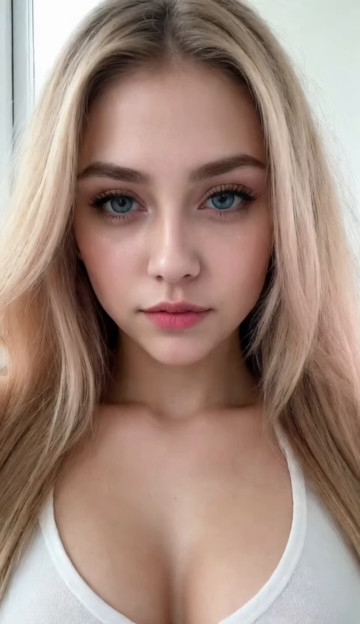
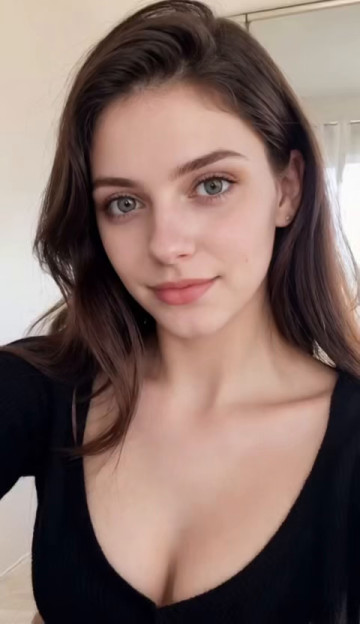
Create an adult AI scene from an existing image with SpicyLab's AI Gangbang Generator.

Select the Gangbang template, upload a suitable source image, and generate a new variation. The template supplies the intended creative direction while your image provides the visual starting point.

Scenes involving multiple subjects can be difficult to evaluate. Overlapping features, inconsistent proportions, and unclear positioning may make an image look less convincing, even when individual details appear realistic.

The guidance below focuses on preparing a readable source image and identifying problems in the generated composition.

How to Use the AI Gangbang Generator

The workflow has four stages.

  1. Select the Gangbang Template

    Choose the Gangbang template from the available options.

    The template establishes the intended generation direction, so you do not need to construct the entire concept through an open-ended prompt.

  2. Upload Your Source Image

    Select an image you have permission to use.

    Look for a clearly visible main subject, understandable framing, and enough image detail to distinguish important features.

    If the photo contains overlapping objects or unusual perspective, consider whether those elements make the scene difficult to interpret.

  3. Generate the Scene

    Start the generation and review the resulting image.

    Look at the complete composition before examining individual details.

  4. Decide Whether to Try Another Variation

    If the first result has problems, identify what appears incorrect.

    A different generation may handle some details differently. If several results show similar issues, consider using another source image.

Why Complex AI Scenes Need a Clear Visual Structure

When a generated image contains several subjects or closely positioned visual elements, the viewer needs to understand how those elements fit together.

A scene may contain individually convincing details while still having an unclear overall arrangement.

Three visual relationships are especially important.

Foreground and background

Look at which subjects or objects appear closer to the camera.

The image should provide enough visual information to distinguish foreground elements from those behind them.

Unclear depth can make separate features appear connected or cause the composition to feel visually crowded.

Subject boundaries

Pay attention to the areas where subjects or objects overlap.

Arms, shoulders, hair, clothing, and nearby background objects may create complicated boundaries.

If those boundaries are difficult to distinguish, the generated image may contain features that appear merged or incorrectly positioned.

Scale and perspective

Compare the apparent size and orientation of subjects within the same scene.

Perspective can naturally make one subject appear larger than another, but the overall arrangement should still be understandable.

Unexpected changes in scale or orientation can make the result feel inconsistent.

The goal is not to remove complexity from every image. It is to make sure the complexity remains visually understandable.

Preparing a Source Image for a Multi-Subject Scene

Before generating, examine the source image as a complete composition rather than judging it only by sharpness.

Use the following preparation checks.

Identify the main visual reference

Determine which subject or part of the image should provide the clearest visual information.

If the main subject is heavily cropped, blurred, or obstructed, another photo may provide a more useful starting point.

Check overlapping features

Look for objects or body features crossing one another in ways that obscure their boundaries.

A source image with clearer separation may be easier to interpret than one with several visually ambiguous overlaps.

Review camera perspective

Extreme angles can make apparent size and positioning harder to judge.

If you have multiple suitable images, consider starting with the one that has the clearest spatial arrangement.

Examine lighting consistency

Check whether the visible subjects and background appear to share a believable lighting environment.

Strong shadows are not automatically a problem, but they should not hide important visual details.

Remove unnecessary uncertainty

When choosing between source images, prefer one with a readable composition over one that introduces unnecessary clutter.

Five Visual Problems to Watch For

Generated multi-subject scenes can contain several types of inconsistencies.

Use these examples to identify what may be wrong before trying another generation.

Merged features

What you may notice: Two visual elements appear connected when they should be distinguishable.

What to examine: Areas where subjects overlap, especially near arms, shoulders, hair, or clothing.

What to try: Compare another generation. If the issue repeats, examine whether the source image contains the same unclear boundary.

Unclear subject positioning

What you may notice: It is difficult to tell where one subject is positioned relative to another.

What to examine: Foreground and background relationships, visible outlines, and the direction of the camera.

What to try: Consider a source image with more understandable positioning or less complicated overlap.

Inconsistent proportions

What you may notice: A subject or feature appears unusually large, small, or distorted compared with the rest of the image.

What to examine: Camera perspective, apparent scale, and visible body outlines.

What to try: Compare another result and consider whether the original perspective makes the composition difficult to interpret.

Conflicting lighting

What you may notice: Subjects appear to have different lighting conditions even though they occupy the same scene.

What to examine: Shadow direction, highlights, and differences in exposure.

What to try: Review the source lighting and compare another generation before changing the input.

Background interference

What you may notice: Background objects appear to merge with subjects or become distorted.

What to examine: Objects near subject boundaries, complicated patterns, and visual clutter.

What to try: Test a clearer source image if repeated generations show similar background problems.
When to Regenerate and When to Change the Source

Not every weak result requires a different source image.

Use the type and consistency of the problem to decide what to try next.

Try another generation when:

  • The overall composition is understandable.
  • The issue affects only a small area.
  • The source image contains reasonably clear visual information.
  • Earlier generations show that the output can vary.

Consider changing the source image when:

  • Important subjects or features are heavily obstructed.
  • The source contains difficult-to-interpret overlaps.
  • The camera angle makes the spatial arrangement unclear.
  • Several generations repeat similar composition problems.
Changing the source, template, and other parts of the workflow simultaneously makes it harder to understand what affected the result.

How to Judge the Final AI Scene

A generated image should be evaluated as a complete composition.

Use these questions before selecting a result:

  1. Readability: Can you understand the overall arrangement without studying every detail?
  2. Separation: Are important subjects and visual elements distinguishable?
  3. Proportions: Does the apparent scale of the scene look coherent?
  4. Lighting: Do the subjects and background appear to share the same environment?
  5. Artifacts: Are there obvious merged features, distortions, or distracting inconsistencies?

If two generations are otherwise similar, consider choosing the one with clearer subject positioning and fewer visible inconsistencies.
Explore Other SpicyLab Creation Workflows

The Gangbang template is intended for a specific adult AI generation direction.
If you want to explore a different dedicated template, visit the AI Blowjob Generator or the AI Titjob Generator.

For a wider selection of generators and templates, explore Spicylab AI.

Responsible Use of Adult AI Images

Do not create sexualized content involving identifiable real people without their consent. Never create sexual content involving minors.

Be mindful of privacy when using personal or sensitive source images. Review the platform's current privacy and data-handling policies before uploading such material.

Start With a Clear Source Image

Choose the Gangbang template and upload an image with understandable framing and visible subject details.

Generate your first result, then review the complete composition for unclear positioning, merged features, inconsistent proportions, and background interference.

If something looks wrong, use the troubleshooting guidance above to decide whether another generation or a different source image is the more useful next step.

Frequently Asked Questions

BlushLab
AI Porn Video Generator
앱 다운로드